Trimite bani în Zambia
Transferuri de bani online rapide, sigure și accesibile în Zambia.
Colaborăm cu mărci cunoscute
Trimite bani partenerilor noștri de încredere din Zambia.



Opțiuni flexibile și convenabile pentru fiecare transfer
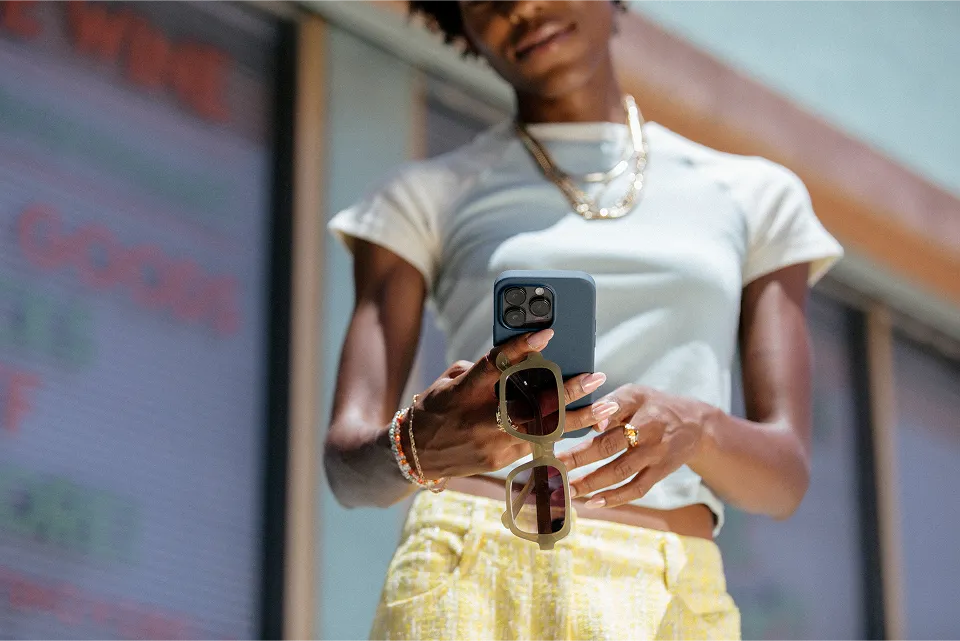



Fii acolo, chiar dacă nu poți fi acolo fizic.
Transferurile tale, prioritatea noastră
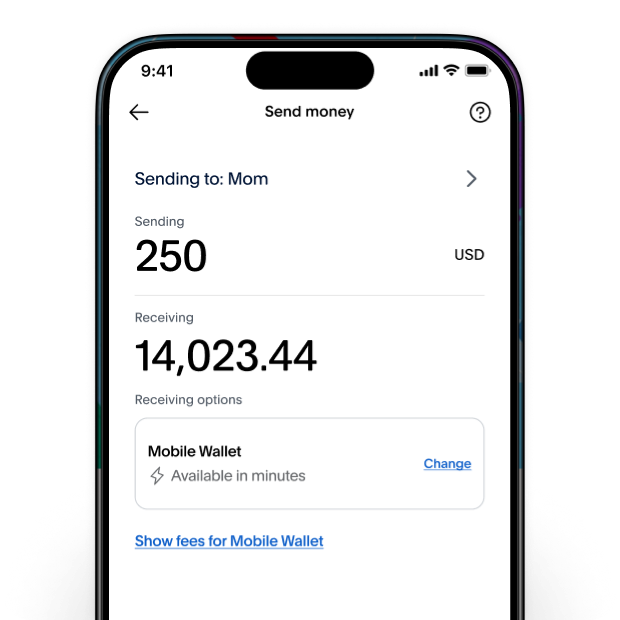
Comisioane și tarife în avans
Când trimiți bani prietenilor și familiei, fiecare cent contează. Îți vom arăta comisionul exact și suma pe care o vor primi înainte de a apăsa pe trimitere. Se aplică comisioane și limitări.
Vezi comisioanele
Trimite cu încredere
Măsurile noastre de securitate, inclusiv criptarea datelor și monitorizarea fraudelor 24/7, te ajută să-ți protejezi tranzacțiile și să păstrezi informațiile financiare complete în siguranță la fiecare pas.
Mai multe despre securitatea PayPal
Asistență la nevoie
Contează pe echipa noastră dedicată. Avem centre de servicii de asistență clienți în întreaga lume, cu asistență disponibilă în mai multe limbi.
Primește ajutorCum trimit bani în Zambia
Trimite bani în locațiile de preluare bani de top din Zambia, precum Ecobank și Ab Bank. Transferă bani direct în portofelele mobile Airtel și MTN.
Depune direct într-un cont bancar din Zambia introducând rapid numărul cardului de debit al beneficiarului. Banii vor fi depuși în contul bancar al beneficiarului – precum o depunere bancară. În general, depunerea este efectuată în câteva minute. Disponibil doar expeditorilor din SUA care trimit către carduri de debit eligibile. Se pot aplica comisioane, limite și alte rețineri.
Xoom este un serviciu PayPal. Facem parte dintr-un concept mult mai mare, care ajută peste 250 de milioane de clienți din întreaga lume să facă tranzacții online sigure în fiecare zi. Este o cifră în care poți avea încredere. Și partea cea mai bună este că, dacă ai un cont PayPal, poți începe să trimiți bani în Zambia chiar acum având la dispoziție opțiunile tale de plată PayPal.
Alege funcția de preluare de numerar și banii, sunt în general, disponibili în câteva minute, în locații convenabile din toată Zambia. În general, transferurile către portofelele mobile sunt disponibile în câteva minute. Selectează depunere bancară și banii tăi vor fi, în general, disponibili în termen de 3 zile în timpul programului de procesare al băncii beneficiarului.*
Cu Xoom, este ușor și rapid să începi să trimiți bani chiar azi. Pasul 1: te poți conecta cu datele de conectare PayPal sau poți crea cu ușurință un cont Xoom, începând cu numele și adresa de e-mail. Pasul 2: introdu suma pe care vrei să o trimiți, destinatarul și locația exactă din Zambia. Pasul 3: plătește în mod convenabil cu PayPal, contul bancare, cardul de credit sau debit și gata! Înscrie-te acum pentru a începe
Pasul 1: introdu o sumă. Pasul 2: furnizează numele, adresa și numărul de telefon ale beneficiarului. Pasul 3: selectează o locație convenabilă pentru preluare de numerar ușoară, inclusiv Ecobank and Ab Bank. Pasul 4: plătește cu ușurință cu PayPal, contul bancar, cardul de credit sau debit. Afișează toate locațiile de preluare de numerar
Pasul 1: introdu o sumă. Pasul 2: alege portofelul mobil ca opțiune de primire. Pasul 3: furnizează numărul de telefon asociat portofelului mobil al beneficiarului. Pasul 4: plătește în mod convenabil cu PayPal, contul bancar, cardul de credit sau de debit.
Poți trimite bani în Zambia cu Xoom din anumite țări, inclusiv:
- Statele Unite ale Americii: din USD în ZMW
- Canada: din CAD în ZMW
- Regatul Unit: din GBP în ZMW
- Spațiul Economic European (SEE): din EUR în ZMW
- Australia: din AUD în ZMW
Monedele disponibile și opțiunile de plată pot varia în funcție de locația ta.
La Xoom, banii tăi contează. Depunem eforturi pentru a-ți oferi cele mai bune cursuri de schimb atunci când trimiți bani prietenilor și familiei tale din Zambia. Pentru a obține cel mai bun curs pentru Xoom, ia în considerare utilizarea opțiunii „cel mai avantajos curs valutar”, dacă este disponibilă. Poți calcula oricând comisioanele și cursul valutar.
Nu, transferurile Xoom nu sunt supuse acestei taxe.
Ca parte a One Big Beautiful Bill Act, o nouă taxă de 1% pentru anumite transferuri de remitere din Statele Unite va intra în vigoare la 1 ianuarie 2026. Cu toate acestea, Xoom este un serviciu digital PayPal și nu acceptăm numerar sau oricare dintre metodele de plată afectate. Trimite bani cu încredere acum!
Obține asistență umană atunci când chiar ai nevoie de ea de la persoane reale cărora le pasă. Avem centre de servicii de asistență clienți pe mai multe continente și în mai multe limbi. Poți să ne contactezi sau să accesezi Centrul de ajutor pentru asistență și informații.
Milioane de oameni ne-au acordat încrederea lor
Din 2001, milioane de clienți se bazează pe Xoom pentru a trimite bani în întreaga lume.
Indiferent unde te poartă viața, rămâi conectat cu aplicația Xoom.
Trimite bani și urmărește tranzacțiile cu ușurință. Descarcă aplicația astăzi!